


Pregnancy App
4.99.44K Reviews
App Specs
- Version
- 1.4.74
- Updated On
- License
- Free
- Downloads
- 5,000,000+
- Developer
- Amila
- Categories
- Parenting
- Platform
- Android, iOS
Screenshots
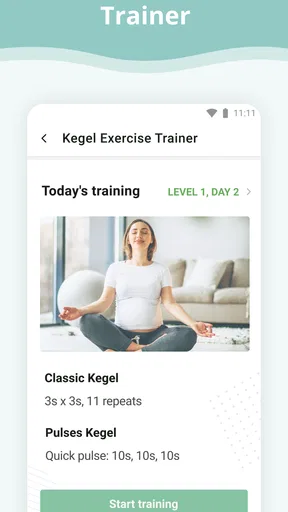
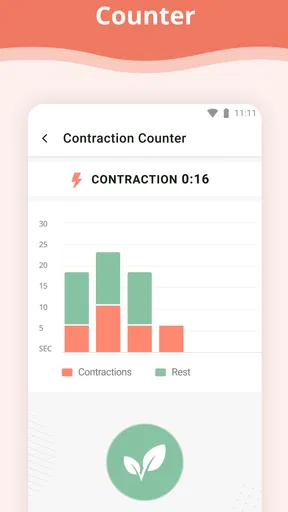
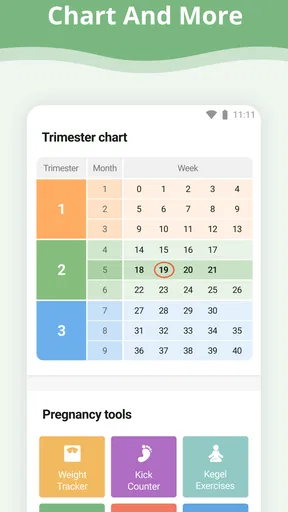
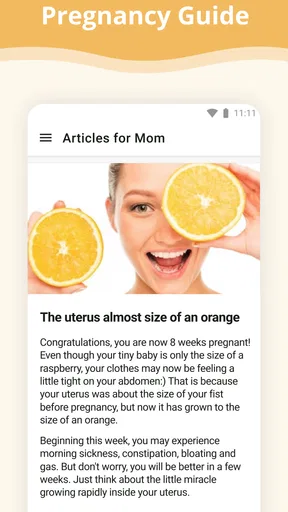
 Analysis by AppCompare
When pregnancy questions come up between appointments, I like having a calm place to check what stage I’m in and what may be happening week by week. Pregnancy App is designed for that everyday kind of guidance: it puts pregnancy tracking at the center, rather than asking you to build a complicated health dashboard. I’d treat it as a handy companion for learning and organizing, not as a substitute for a clinician’s advice.
A useful rhythm for checking in
The app makes most sense when you use it in brief visits rather than expect it to manage every part of pregnancy. I’d open it when a new week begins, read the update, and save any question that I want to raise at my next appointment. That small routine can turn a passing worry into a clear, specific conversation instead of another late-night search through unrelated results.
Its appeal is especially clear for someone pregnant for the first time, who may want a straightforward explanation of what is changing without having to search across several sources. If you have been through pregnancy before, it can still offer a familiar week-by-week reference, though you may prefer a more specialized tool if your main need is detailed medical logging or coordination with a care team.
Speed expectations and busy moments
I would approach a pregnancy tracker as something that should be quick to consult, not an app that needs constant attention. The most useful moments are often small: checking a weekly note while waiting for an appointment, looking up a practical reminder during a break, or using a timer when you need to record a pattern. That kind of use rewards a clear layout more than a long list of advanced controls.
Heavy-use days can feel different. You might be reading several updates, making notes for a conversation with a clinician, and keeping track of symptoms or timing in the same stretch. In that situation, I’d avoid treating anything the app says as a diagnosis or a decision about when care is needed. Use it to organize what you notice, then contact your healthcare professional when symptoms or concerns call for personal advice.
Reliability, recovery, and practical limits
For a tool that follows pregnancy over time, consistency matters more than flashy effects. I’d keep the due-date information accurate and check that the displayed stage matches what I expect, especially if a date changes after an appointment. If you rely on a counter or timer during a stressful moment, take a second to confirm what you have entered; a simple tool is only useful when the record reflects what actually happened.
I also wouldn’t make it the only home for information you consider important. If you are tracking questions, symptoms, or details to share with a clinician, keep a separate note or use a method you already trust for anything you would not want to lose. This is a sensible habit with any phone app, and it avoids confusing a convenient reference with a permanent medical record.
Worth Reading Before You Choose

Baby Panda World Brings Quick Play to Modern Phones, but Its Game Library Feels Busy

ESPN’s Live Game View Makes Following Close Games Easier

QuizzLand Review: A Good Fit for Short Trivia Breaks, Not Every Player

Basketball Stars: Multiplayer Is Fast, but Can It Recover When Matches Go Wrong?

WEBTOON Turns Phone Updates Into a Better Reading Routine

Link to Windows Runs on Shared Habits, Not Social Feeds
Device fit and who should choose it
Amila’s parenting app is free to install, is rated for Everyone, and has a 4.9 average from around 468,000 ratings. It has passed five million installs, and its current version is 1.4.66. It is listed for devices running Android 8.0 or later, with optional in-app purchases ranging from $1.99 to $100 per item. I’d check the purchase screen carefully before choosing any paid extras, since free access does not mean every option has to be included at no cost.
Those details make it approachable for someone who wants to try a pregnancy guide without paying upfront, but the best choice still depends on your habits. If you want a simple week-by-week companion and occasional practical tools, it may fit well. If you need a shared record for multiple caregivers, extensive appointment planning, or clinical monitoring, a dedicated service recommended by your care team may suit you better. On iOS, check the current store page for device compatibility before installing.
Features That Stand Out
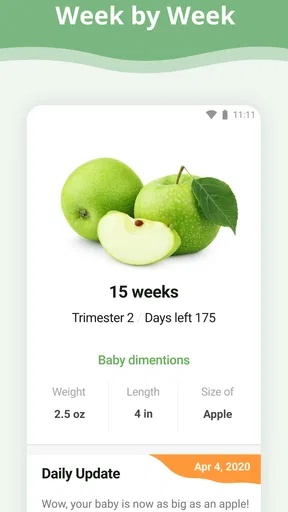
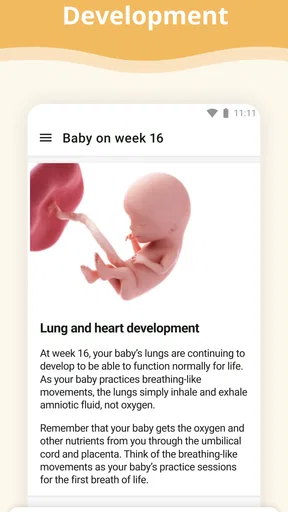
First things first, let’s talk about what makes the Pregnancy App such a hit. One of the most beloved features is the weekly pregnancy tracker. Each week, you get detailed updates about your baby's development. It's like having a mini ultrasound report right in your pocket! You can actually see how your little one is growing and what size they are compared to everyday objects—imagine your baby being the size of a juicy peach!
Another cool feature is the daily tips. Every day, the app dishes out nuggets of wisdom to keep you informed and entertained. From nutritional advice to quirky baby facts, it's like having a friendly chat with your pregnancy buddy. Honestly, some of these tips are so good that they make you go, "Why didn’t I think of that?"
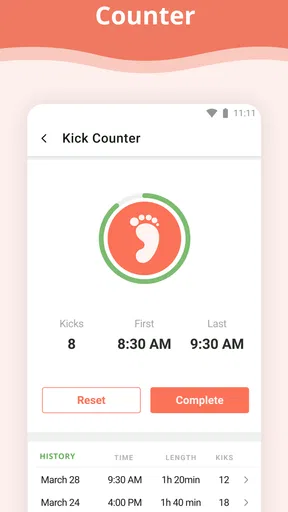
Now, let’s not forget the kick counter and contraction timer. These tools are lifesavers, especially when you're trying to figure out if it’s time to head to the hospital or just another false alarm. The simplicity of these features is a breath of fresh air—no fuss, just straight-up functionality.
User Experience
Okay, let’s talk about the user interface. The Pregnancy App scores high on simplicity and aesthetics. The design is intuitive, and you won't have to spend hours trying to figure out how things work. Everything is laid out clearly, making navigation a breeze. Plus, the color scheme is soothing, which is a blessing when you’re experiencing those mood swings!
Another thing I love is the personalization. You can easily input information like your due date, and the app tailors the content to match your specific stage of pregnancy. It’s like having a customized pregnancy coach who knows exactly what you need.
Community and Support
Feeling a little overwhelmed? The app’s community feature is there to back you up. Connect with other parents-to-be, share experiences, and get advice. It's like being part of a virtual mommy group, where you can rant, laugh, and learn together. Plus, the forums are a no-judgment zone, which is a huge relief.
And if you need expert opinions, there are articles and resources penned by professionals. Whether it’s about prenatal exercises or dealing with morning sickness, the app has got you covered with reliable information.
Using the information thoughtfully
One useful way to approach the weekly tracker is to separate general development notes from what is true for your own pregnancy. The app can give you context for a stage, but comparisons with fruit sizes or typical milestones are illustrations, not measurements of your baby. I’d enjoy them as an easy mental picture and leave questions about growth or individual risks to appointments and professional guidance.
The same distinction helps with daily tips. A suggestion can spark a useful habit or prompt a question, but advice that touches nutrition, exercise, medication, or symptoms may not suit every person. If a tip conflicts with instructions from your clinician or feels wrong for your circumstances, follow the personalized medical advice instead. That keeps the app in its strongest role: an accessible explainer, not a decision-maker.
Making the counters work for you
A kick counter is most useful when you already understand how your care team wants you to monitor movement. I’d use it to record observations in the way I have been advised, rather than assuming the app’s presence establishes a safe threshold. If movement concerns you, getting timely professional advice matters more than continuing to tap through a tracker.
For the contraction timer, a practical habit is to start and stop each entry as consistently as possible and note the pattern you want to discuss. In a tiring or uncomfortable moment, it is easy to lose track, so ask a partner to help if that feels useful. The timer can make a sequence easier to describe, but it cannot tell you by itself whether labor has begun or whether you should travel to a hospital; follow the guidance you have been given for that situation.
Choosing between a tracker and other options
Compared with searching the web whenever a new question appears, a pregnancy app can give you a more organized weekly routine and reduce the effort of finding a starting point. Compared with a paper calendar or notes app, it offers pregnancy-specific context and ready-made tracking tools, while a plain note may be more flexible for personal details. Neither approach is automatically better: the app is convenient for guided reading, while a notebook can be easier to tailor and keep under your control.
Some people may prefer a healthcare provider’s patient portal or another service designed around appointments and shared records. That is the better direction if your priority is exchanging information with a clinic rather than reading general pregnancy guidance. I would not replace a care-team tool with this app, and I would not expect a community discussion to carry the same weight as individualized medical advice.
A realistic day with the app
Imagine noticing that a new pregnancy week has begun while waiting for a routine appointment. I’d read the relevant update, jot down one question prompted by it, and bring that question into the visit. Later, if I wanted to track movement or time contractions, I’d use the relevant tool only in line with the instructions from my clinician. The value is not that the app makes decisions for me; it helps me arrive at a conversation better prepared.
That routine also keeps use manageable. There is no need to open every section every day or turn pregnancy into a stream of measurements. A short check-in can be enough, and stepping away is reasonable if frequent updates make you anxious. People who enjoy structured prompts may appreciate the rhythm; those who find comparisons or reminders stressful may be happier with a simpler personal log and direct guidance from their care team.
Community, privacy, and emotional fit
The community can offer reassurance through shared experiences, but I would read personal stories as anecdotes rather than evidence about what will happen in my own pregnancy. A discussion forum can help someone feel less alone or discover a question worth asking, yet it cannot assess symptoms or account for medical history. If browsing other people’s experiences increases worry, there is no need to use that part of the app to get value from the tracker.
Before posting, I’d also think carefully about how much personal information I want to share in any online community. A general question can often be asked without including identifying details. That is a useful boundary for any parenting forum, especially when the conversation concerns health or family life.
What to expect from everyday performance
For the kind of short, mostly reading-focused visits described here, I would expect modest demands compared with an app built around continuous media or intensive editing. That is an expectation based on the role of a pregnancy guide, not a guarantee about how it will behave on every phone. A device with limited free storage, an older battery, or many background tasks can make any app feel less responsive, so I would avoid blaming the tracker alone if the whole phone is sluggish.
If a page or tool does not respond as expected, I’d close and reopen the app, check that the due date and current stage still look right, and try again when the device is running normally. For important information, I would keep a separate note rather than rely on an unverified recovery. The app’s simple purpose suits occasional checks, but I would not use it as the sole place for records that need to be preserved or shared.
Who may want a different fit
This is a stronger match for someone seeking a friendly guide than for a person who wants a comprehensive pregnancy-management system. It may be less suitable if you dislike daily prompts, do not want community discussions, or need detailed records that can be reviewed by several people. In those cases, a basic calendar, private notes, or a clinician-supported platform may be more comfortable and practical.
It also helps to decide what you want before installing: weekly context, occasional tips, tracking tools, or peer conversation. If you mainly want one of those, you can focus on that part rather than feeling obliged to use everything. The app is most helpful when it supports your own routine instead of creating another obligation.
Community and Support
Feeling a little overwhelmed? The app’s community feature is there to back you up. Connect with other parents-to-be, share experiences, and get advice. It's like being part of a virtual mommy group, where you can rant, laugh, and learn together. Plus, the forums are a no-judgment zone, which is a huge relief.
And if you need expert opinions, there are articles and resources penned by professionals. Whether it’s about prenatal exercises or dealing with morning sickness, the app has got you covered with reliable information.
A sensible way to finish the decision
My recommendation is to try it if you want a welcoming pregnancy companion that puts weekly context and quick-use tools within reach. Keep your clinician’s instructions in charge, treat community experiences as personal stories, and choose a separate record for anything you cannot afford to lose. That balance lets the app be useful without asking it to do a medical professional’s job.
Overall, I see Pregnancy App as an approachable option for curious, first-time parents and anyone who likes guided check-ins. Its main strength is making pregnancy information feel easy to revisit; its main limitation is that convenience should not be mistaken for tailored care. If that distinction suits the way you want to use a phone during pregnancy, it is worth considering.
Pros
- User-friendly interface
- easy to navigate.
- Comprehensive week-by-week pregnancy guide.
- Daily tips and health advice for expectant mothers.
- Customizable reminders for appointments and medications.
- Community forums for support and sharing experiences.
Cons
- Limited content in the free version.
- In-app ads can be distracting at times.
- Some features require a stable internet connection.
- Occasional sync issues with wearable devices.
- Limited language support beyond English.
FAQs for Pregnancy App
What features does the Pregnancy App offer?
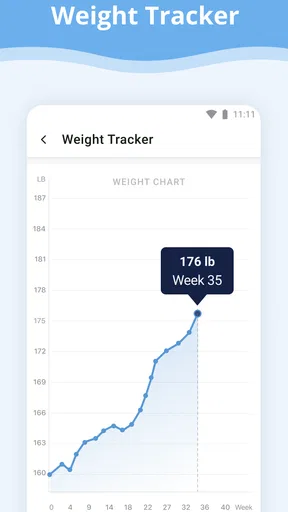
The Pregnancy App provides a comprehensive range of features for expectant parents, including a pregnancy tracker, weekly updates on fetal development, a kick counter, a contraction timer, and personalized health tips. Additionally, it offers a community forum for connecting with other parents and expert articles on pregnancy and childbirth.
Is the Pregnancy App free to use, or does it have any hidden costs?
The Pregnancy App offers a basic version that is free to use, which includes essential features like the pregnancy tracker and weekly updates. However, it may offer in-app purchases for premium features, such as advanced health tracking and exclusive content, which can enhance the user experience.
How accurate is the information provided by the Pregnancy App?
The Pregnancy App collaborates with healthcare professionals to ensure that the information it provides is accurate and up-to-date. It offers scientifically-backed insights and health tips, but it is always recommended to consult with a healthcare provider for personalized medical advice, especially in case of any concerns.
Can I use the Pregnancy App offline, or does it require an internet connection?
Some features of the Pregnancy App, such as the pregnancy tracker and saved articles, can be accessed offline. However, features like community forums, real-time updates, and certain multimedia content require an internet connection. It's advisable to check specific app settings for offline accessibility.
Is the Pregnancy App compatible with both Android and iOS devices?
Yes, the Pregnancy App is designed to be compatible with both Android and iOS devices. Users can download the app from the Google Play Store for Android or the Apple App Store for iOS. Ensure your device meets the app's minimum system requirements for optimal performance.


